How to write Suno v5 prompts that work? Learn how to craft style and lyrics prompts that unlock genre, mood, instrumentation, and vocals. Includes examples, FAQs and practical tips for unique songs.
Mastering Suno: The Complete Guide to AI Music Prompting
Suno v5 isn’t just another AI upgrade — it’s a full-blown studio in your browser, capable of producing broadcast-ready tracks with human-level vocals, realistic instrumentation, and emotional range that rivals professional production. But it’s still in beta, which means it’s powerful, unpredictable, and sometimes delightfully weird.
This guide teaches you how to talk to Suno v5 — how to write prompts that consistently deliver high-quality, emotionally coherent music. You’ll learn the logic behind its prompt parser, the hidden structure of effective instructions, and how to shape songs across genres like a real producer.
🎖️
Imagine you have a magic jukebox. You tell it “happy pop song with drums and a guitar,” and the jukebox sings a brand‑new song just for you. That’s what Suno does – it turns short sentences into music. The more clearly you describe the feeling and instruments, the better the song sounds.
Let’s turn your words into music.
What’s New in Suno v5 (and Why You Should Care)
1. Studio-Grade Audio in Your Browser
Suno v5 outputs 44.1 kHz, 16-bit stereo — the same quality used in professional studios. The mix separation is clearer, the low end is tighter, and the high frequencies no longer sound “AI-sharp.” It’s the first version that feels genuinely mastered.
Paid users can export up to 8 minutes of lossless audio, with optional stem separation for individual tracks (drums, vocals, synths, etc.). Perfect for post-production or DJ sets.
“emotional female vocals with soft delay” = moody ambience
“dirty warehouse techno” = analog-style reverb and distortion
It interprets emotional and technical language with much higher accuracy.
3. Creative Sliders for Weirdness & Style
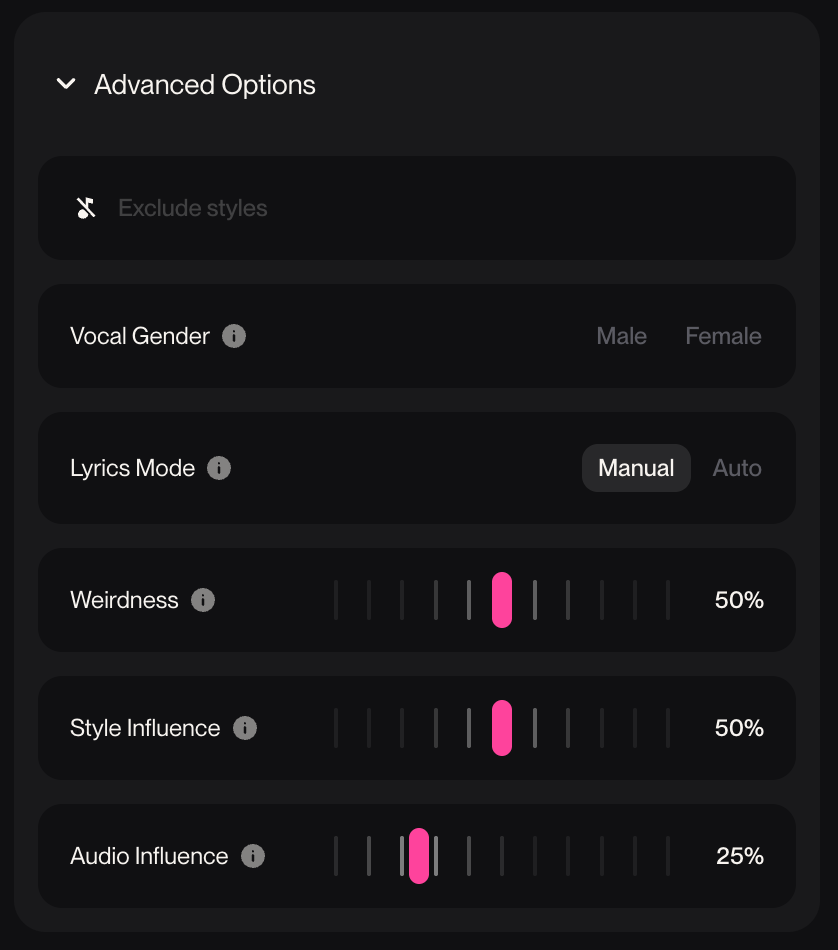
The new sliders — Weirdness, Style Influence, and Audio Influence — allow surgical control. Upload a reference track and tell Suno exactly how much to copy (10% inspiration or 90% clone). Lower weirdness = clean mix; higher = experimental chaos.
Got tracks from v3.5 or v4? Run them through the Remaster function to instantly upgrade fidelity and mix balance.
5. Beta Caveat
Remember: v5 is still in beta. That means:
Results may vary per generation.
Prompt repetition can yield totally different outcomes.
Overly complex descriptions can “confuse” the parser.
The good news? This gives you flexibility to experiment. The model rewards clarity and intention — but it also loves creative chaos.
🤖
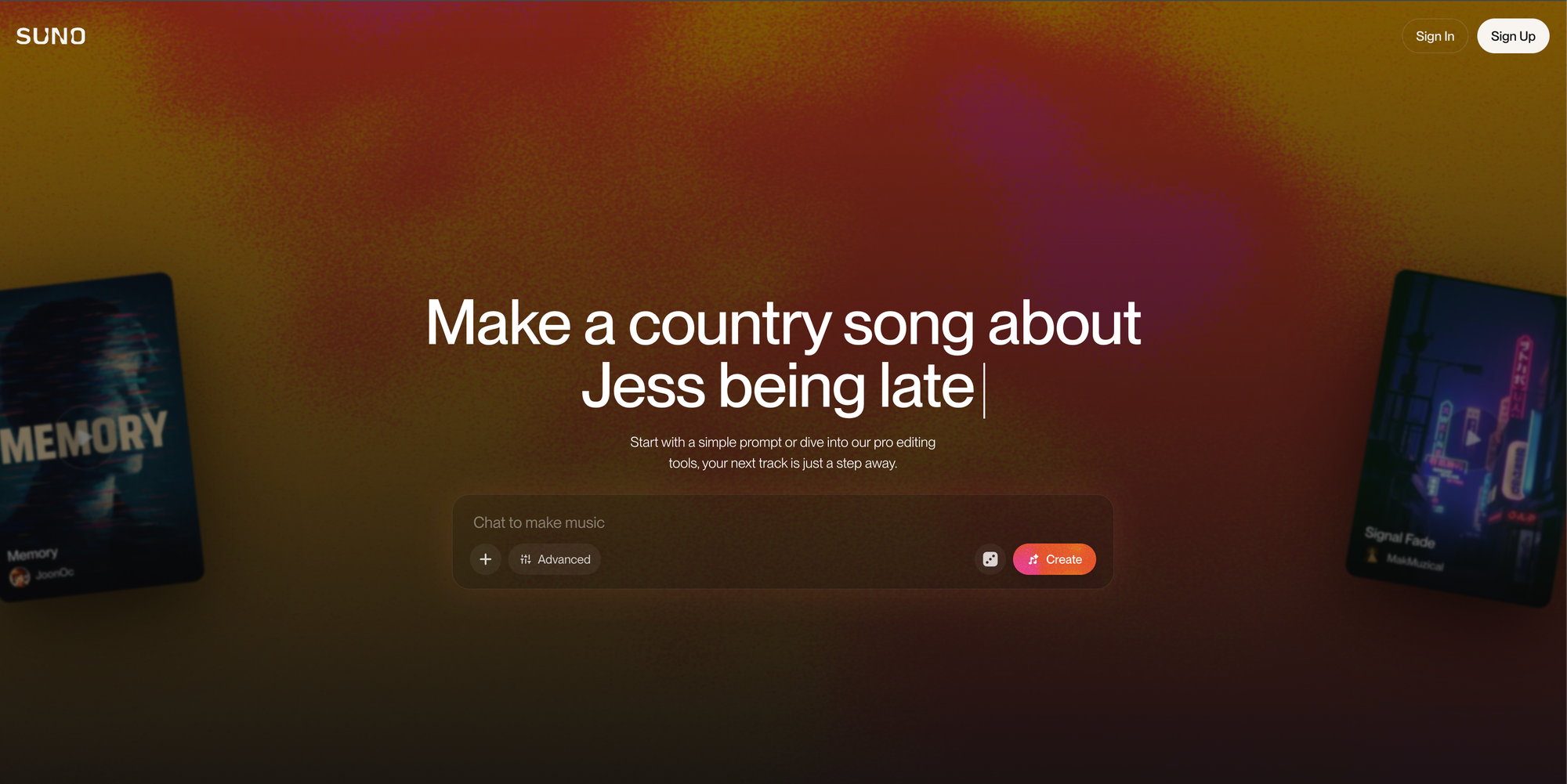
Suno v5 is an AI music generator that acts like your own studio. You type a style prompt (genre, mood, instruments, vocals) and, optionally, paste lyrics. The AI reads your input and produces two unique tracks. Learning the right words – “melancholy acoustic ballad with warm strings and whispered vocals” – helps you steer it toward the vibe you want.
The Architecture of Effective Suno Prompts
Modes: Simple vs. Custom (and When to Use Each)
Mode
Description
Pros ✔️
Cons ❌
Extra Features
Simple Mode
One input box (500 characters). Perfect for quick sketches, random inspiration, or testing musical ideas.
✔️ Fast output. ✔️ Beginner-friendly. ✔️ Inspires creativity through surprise.
❌ Minimal control. ❌ No structure or lyric options. ❌ Hard to repeat exact results.
—
Custom Mode
Two input boxes: Style (1,000 chars) and Lyrics (5,000 chars). Lets you fully control composition, emotion, and arrangement.
✔️ Precision control. ✔️ Structure and section management. ✔️ Best for professional production.
❌ More complex setup. ❌ Longer prompt writing time. ❌ Can overfit if too detailed.
- Gendered vocals toggle. - Instrumental-only option. - Audio upload for reference blending. - Ideal for remixing and full tracks.
How to Talk to Suno v5: The Core Framework
When writing prompts for Suno, think like a music producer giving notes to an engineer. Every detail you write changes the outcome.
The Golden Formula
Genre + Mood + Tempo + Instruments + Vocals + Production Quality + Emotion
🎹
“Melodic techno, emotional and driving, 126 BPM, deep analog bass, ethereal pads, female vocal samples, progressive structure, studio-grade clean mix.”
🎹
“UK Drill, dark and aggressive, 140 BPM, TR-808 drums, sliding sub-bass, raw male vocals, clean mix.”
Keep it tight. Don’t dump every instrument you can name. Two or three core sounds = clarity. Suno handles “punchy 808s, sliding bass, fast hi-hats” better than “Moog synths, TR-909, Korg pads, FM8, etc.”
Genre Fusion Rule: Two max. “Jazz Trap” or “Gospel Drill” works. Three or more? Chaos.
Negative prompts: Use “no vocals,” “no harsh highs,” or “no synths” to remove unwanted noise. Works surprisingly well.
Genre Fusion Rule
Two genres max — “R&B Trap” works. “Funk Jazz Reggae Drumstep Gospel” will break it.
BPM Guidelines
House / Techno: 120–130 BPM
Drum & Bass: 170–175 BPM
Pop: 100–115 BPM
Lo-Fi / Chill: 70–95 BPM
Drill / Grime: 135–145 BPM
Vocal Tips
Describe tone and presence:
“soft whispery female vocals” → delicate and ambient
Think of Suno as a powerful creative assistant. It has separate input fields: the Style box (up to 1,000 characters) defines genre, mood, instrumentation and vocal tone, while the Lyrics box (up to 5,000 characters) holds your verses and chorus tags. Keep descriptions and lyrics separate to avoid confusing the model. Precise descriptors and meta tags allow you to control tempo, structure and key.
1. Tech House / Electronic Dance
Style of Music: Tech House, energetic, 128 BPM, drum machine, electric piano, punchy kicks, synth pads, 4/4 time, club-ready mix, no vocals
Use Case: Dancefloor energy with steady four-on-the-floor rhythm and electronic texture. Ideal for club sets, fitness content, or high-energy commercial applications.
2. UK Drill / Grime
Style of Music: UK Drill, dark, aggressive, 140 BPM, TR-808 drums, massive sub-bass, sliding 808 bassline, fast hi-hat rolls, raw male vocals, street energy
Lyrics:
[Intro]
[Dark pads, minimal percussion]

[Verse 1 - Aggressive]
Cold streets, no sleep, grinding every day
Came up from the bottom, now we paving the way

[Chorus - Powerful]
We run this, can't stop the movement
From the underground, making improvements

[Verse 2]
[Fast hi-hat rolls, 808 slides]

[Outro]
[Beat switch, dramatic pause]
Use Case: Hard-hitting UK drill with authentic 808 bass character. Perfect for urban content, fitness motivation, or street culture narratives.
Use Case: Hypnotic minimal techno focused on groove evolution. Ideal for underground club content, deep listening sessions, or minimalist aesthetic projects.
[Intro]
[Random glitches, digital artifacts]

[Section A]
[Fragmented beats, evolving textures]

[Section B]
[Pitch-shifted samples, chaos]

[Moment of Clarity]
[Brief melodic pause]

[Section C]
[Return to glitch, intensified]

[Dissolve]
[Elements fall apart gradually]
Use Case: Avant-garde electronic exploration with unconventional structure. Ideal for experimental art projects, sound design portfolios, or boundary-pushing content.
Suno v5 finally gives creators surgical control over what not to include — and when used properly, it’s a total mix-saver. Negative prompting works by embedding simple exclusions like “no [element]” directly into your Style field.
This structure tells v5 where to place background layers without cluttering the main line.
4. Mind the Syllables Community tests show 6–12 syllables per line hits the sweet spot. Too long = rushed phrasing. Too short = robotic rhythm.
Quick hack: Read your lyrics out loud. If it feels awkward to say, it’ll sound worse when sung by AI.
FAQ – Suno Prompting 101
What’s the maximum prompt length in Suno v5?
In custom mode, the Lyrics field accepts up to 5000 characters and the Style field up to 1000 characters. Non‑custom mode limits the prompt to 500 characters.
Can I write in different languages?
Yes — Suno supports multiple languages, but English yields the most consistent results.
Should I mix music descriptors with lyrics?
No. Place genre, mood and instrumentation details in the Style field and keep lyrics separate. People warns that mixing them confuses the model and wastes character space.
How many descriptors should I include?
Aim for 4–7 concise descriptors. I found this number balances specificity and flexibility.
Can I specify song structure without lyrics?
Yes. Mention the desired structure in the Style field – for example, “start soft, build to chorus, include dramatic bridge”.
What are meta tags and when should I use them?
Meta tags (e.g., [Tempo: Mid], [Vocalist: Female], [Key: C minor]) allow advanced control over tempo, vocal type or key. Use them sparingly in the style or lyrics fields to fine‑tune the output.
Why does it generate two tracks?
Suno creates two interpretations per prompt for creative variation.
Can I control key or scale?
Not yet directly, but describing “minor,” “major,” or “melancholic” influences harmony.
What does Weirdness do?
Low = realistic. High = experimental chaos. Use 0.3–0.5 for standard songs.
What if my vocals sound robotic?
Try specifying gender and emotion (“female vocals, soft emotional delivery”).
Can I remix my old tracks?
Yes — re-upload and use the remaster function or reference blending for v5 quality.
Does punctuation matter?
Yes. Commas separate ideas; periods reset context. Use clean grammar.
Learn with BusinessGPT Master automation, marketing, and AI workflows that actually grow your business.
These advanced prompt frameworks mimic the depth of festival‑ready productions. Adapt the structure to your own genre and lyrics.
Genre specification should be specific rather than generic. Instead of simply "electronic", use "melodic techno" or "liquid drum and bass". Genre fusion works exceptionally well in v5 when limited to two primary styles: "Gospel Trap", "Jazz Hip Hop" or "Progressive House". Stacking three or more genres dilutes the output and creates inconsistent results.
Tempo and BPM should be explicitly stated when precision matters. Tech house works optimally at 125-130 BPM, UK drill at 140 BPM, and drum and bass at 170-174 BPM. Including both numeric BPM and descriptive tempo ("fast," "mid-tempo," "slow") reinforces the AI's understanding.
Instrumentation should highlight 2-3 primary elements rather than comprehensive equipment lists. "Punchy 808 kicks, sliding bass, fast hi-hat rolls" is more effective than enumerating every synthesizer and drum machine. The community reports that v5 responds particularly well to specific instrument callouts like "TR-808 drums," "Rhodes piano," or "analog synths".
Vocal direction benefits from both gender specification and tonal description: "powerful female vocals," "raspy male delivery," "whispery intimate tone". For instrumental tracks, explicitly state "no vocals" or "instrumental only" to prevent unwanted vocal artifacts.
Production quality descriptors dramatically improve audio fidelity. Terms like "clean mix," "studio-grade," "no distortion," "high fidelity," "modern mastering," and "crisp production" guide the AI toward professional-sounding output. The community consistently reports that adding these qualifiers reduces harsh highs, vocal distortion, and tinny artifacts.
1. EDM Festival Anthem
Genre: “Progressive House / Big‑Room EDM / Dance Pop”
Instruments: “rising synth leads; male and female vocal call‑outs; pounding four‑on‑the‑floor kicks; bright claps; aggressive saw‑wave chords; atmospheric pads; build‑up risers; sub bass drops”
Tags: “128–132 BPM; major key; high‑energy festival anthem; 16‑bar tension build; 32‑bar drop with side‑chained synths and crowd FX; 8‑bar breakdown; massive hands‑in‑the‑air chorus; euphoric mix; reverb tails; layering of voices”
Most AI stories are noise. This one is different. Here’s the grounded version of how ChatGPT, DNA sequencing, AlphaFold, and scientific collaboration helped shape an experimental cancer treatment for one dog in Australia.
If you’re tired of overpriced AI assistants and unstable agents, this is your roadmap. Learn how to build a stable, low-cost vibe coding stack using Kilo Code inside VS Code — from model selection to configuration that actually performs.
Every missed field, free-typed category, and duplicate name makes your AI dumber. Whether you’re wiring up a chatbot for customer FAQs, plugging into AI marketing automation, or testing workflow automation tools, the biggest unlock is not another app it’s a clean, structured database you control.
Here’s a
Learn how to write Sora 2 prompts that look cinematic and cut together cleanly. API settings, shot structure, lighting, dialogue, image references, Remix workflow, and ready-to-use templates.
Is your business drowning in fragmented data? Discover the "Golden Record" – a definitive, unified view of your customers that cleans up chaos, makes analytics reliable, and prepares your systems for the age of AI. Learn our simple 5-step process now.
An AI knowledge base is like the brain behind your AI tools—keeping them accurate, reliable, and fast. Learn what it is, why it matters, and how AI-powered knowledge bases boost customer support, automation, and business growth.