The Cheapest Vibe Coding Stack in 2025: Kilo Code + OpenRouter Setup That Actually Works
If you’re tired of overpriced AI assistants and unstable agents, this is your roadmap. Learn how to build a stable, low-cost vibe coding stack using Kilo Code inside VS Code — from model selection to configuration that actually performs.
If you write code in 2025, you’ve already seen the pattern:
$25–$49/month AI IDE subscriptions
“Agents” that promise to ship features, then hallucinate imports
Vendor lock-in, rate limits, and random model options
Tools that feel more like a demo than a reliable AI coding workflow
Developers don’t want magic. We want predictable, fast, cheap, and controllable.
0:00
/0:16
Ask mode
That’s where a vibe coding stack built on Kilo Code + OpenRouter comes in:
No bloated all-in-one IDE
No single-vendor lock-in
Repo-level awareness instead of toy autocomplete
Cost you can actually justify to your CFO / co-founder / yourself
This article walks you through exactly how to set that up.
What is vibe coding?
Vibe coding is a workflow where a developer collaborates with an AI assistant inside their IDE to write, refactor, debug, and document code in real time. Unlike autocomplete tools, vibe coding works at the repository level, not just the file level, making it suitable for professional engineering tasks.
How does Kilo Code enable vibe coding inside VS Code?
Kilo Code turns VS Code into a lightweight AI development environment by allowing models to interact with your repo structure, understand context, generate new files, refactor code, and analyze dependencies. It supports multiple providers, including OpenRouter, giving you flexibility and lower costs.
Why use OpenRouter with Kilo Code?
OpenRouter gives access to multiple AI models (Claude, DeepSeek, Qwen, Gemini, GPT variants) with flexible pricing, so you’re not locked into a single vendor. This lets you build a cheaper, faster, more stable coding workflow by selecting models based on your task: code generation, debugging, or analysis.
Can you build production-ready code using Kilo Code + OpenRouter?
Yes — when configured correctly, Kilo Code can generate production-quality code, perform repo-wide analysis, create tests, and assist with debugging. The key is using reliable models and enforcing review rules. Many developers already use this workflow for professional engineering work.
What are the best models for vibe coding in 2025?
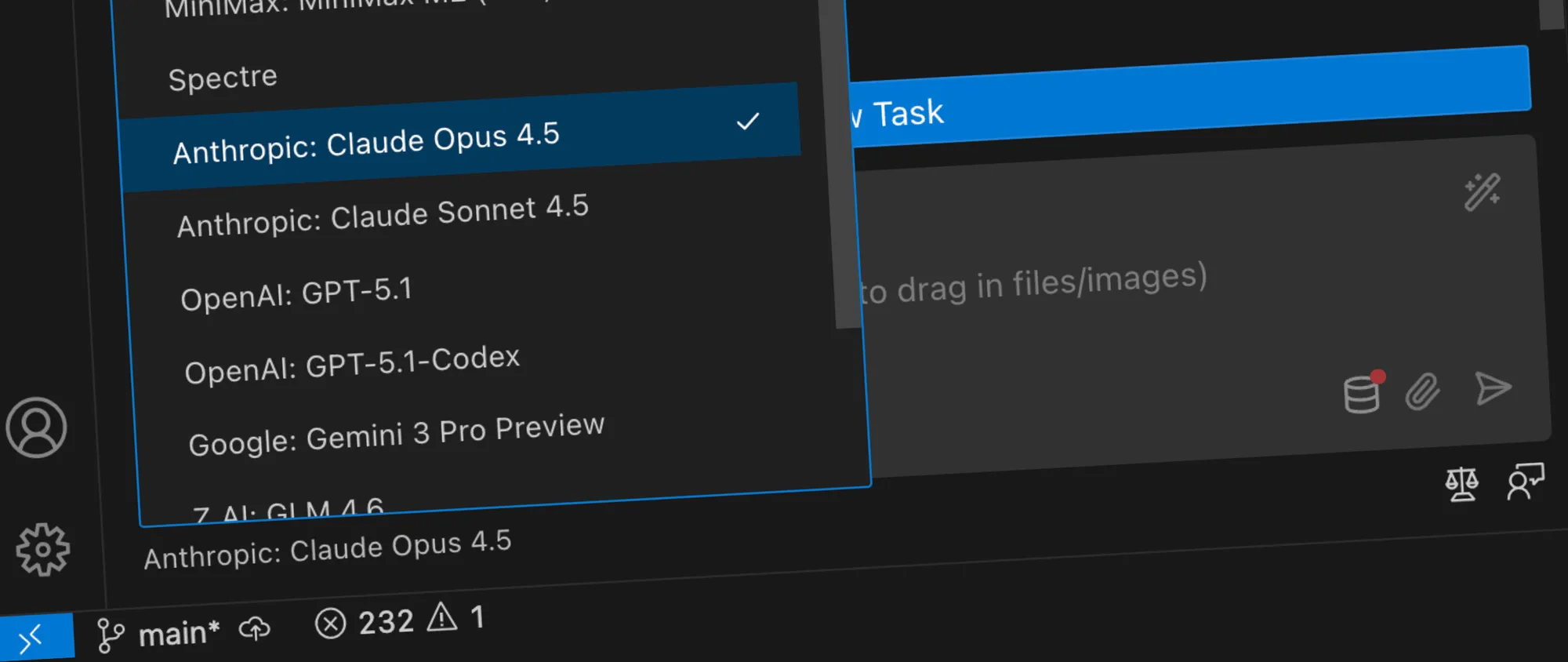
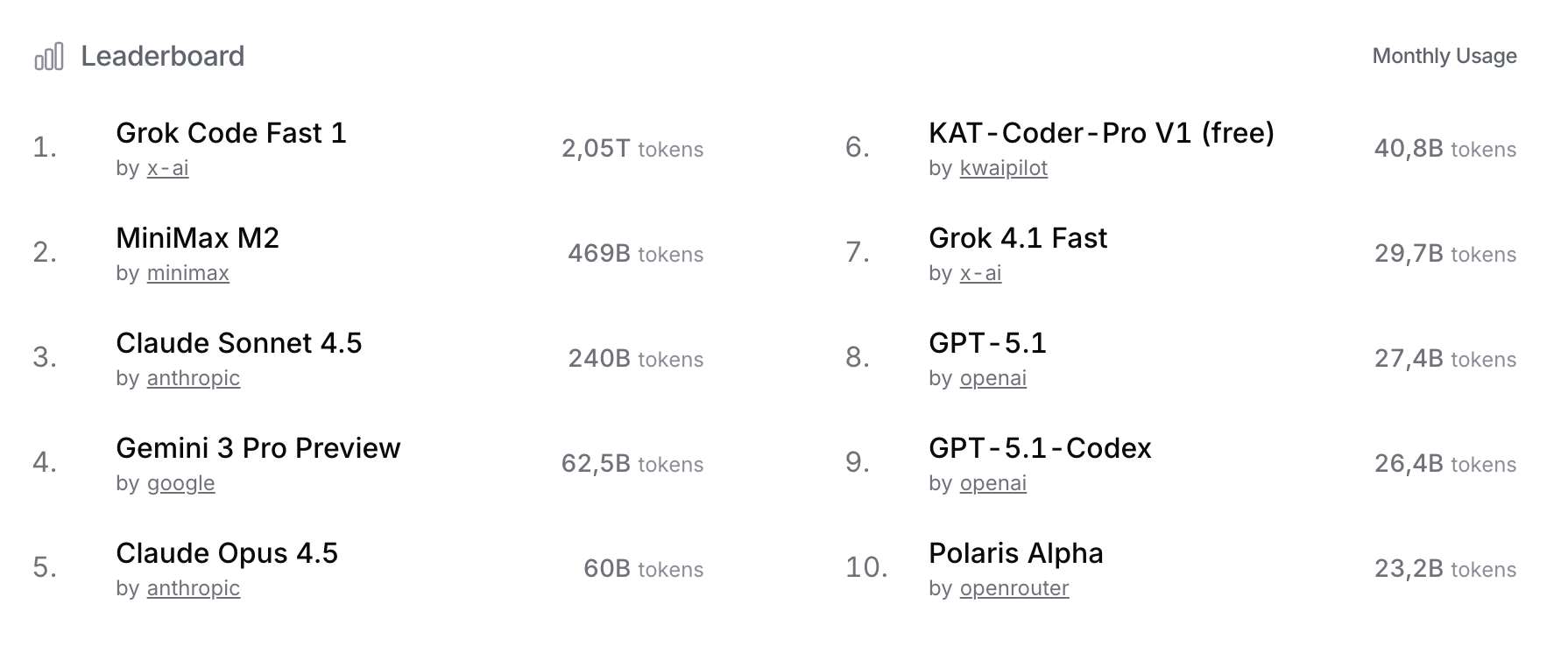
For “vibe coding” on OpenRouter right now, the sweet spot is a mix of Anthropic Claude 4.5 (Sonnet/Opus), DeepSeek, and the newer Llama variants, with DeepSeek and Llama giving the best price-to-flow feel for long coding sessions. For me Sonnet 4.5 is the absolute king for vibe coding right now — specifically built for it.
Is vibe coding cheaper than AI IDE subscriptions?
Yes. Most AI IDEs cost $25–$49/month and still limit context or model choice. A Kilo Code + OpenRouter stack can cost as little as $5–15/month, depending on model usage, while giving you full control over provider, performance, and workflow.
Does vibe coding replace developers?
No. It accelerates them. Vibe coding removes repetitive tasks like scaffolding, refactoring, boilerplate, or test generation. Developers still make architectural decisions, ensure correctness, and maintain code quality.
Is Kilo Code safe for private codebases?
Kilo Code itself runs locally, and the data is sent only to the models you select. Using OpenRouter with models that support opt-out logging or enterprise privacy settings gives additional control. Always confirm the provider’s privacy policy for sensitive code.
What makes this setup better than premium AI tools?
You get:
cheaper cost
more control
multiple models instead of one
repo-level context
no vendor lock-in
better customizability
developer-friendly performance
In 2025, flexibility > monolithic AI tools.
A Real AI Coding Workflow, Not a Toy
💡
Turn VS Code into a professional-grade AI programming setup using Kilo Code and OpenRouter — for the lowest possible monthly cost.
You’ll get:
A vibe coding workflow that understands your repo, not just the current file
Flexible OpenRouter coding models (Claude, DeepSeek, Qwen, etc.) instead of one locked-in assistant
A setup that is:
cheap
reproducible
good enough for production-ready AI coding
This isn’t “play with AI.” This is “ship with AI.”
0:00
/0:19
Architect mode
What Is Vibe Coding (and Why Devs Actually Like It)?
“Vibe coding” is the informal term for a style of development where:
You stay inside your editor
You talk to an AI assistant about your codebase
The AI writes, refactors, and explains code while you steer
It’s not just autocomplete. A real vibe coding workflow should:
Work at repo level, not single-file level
Understand your project structure and conventions
Help with refactoring, debugging, test generation, documentation, and migrations
Be fast enough that you don’t lose flow
Kilo Code is one of the few tools that leans into that — without trying to be a bloated “AI OS”.
Copy it somewhere safe (use a secrets manager, not a sticky note)
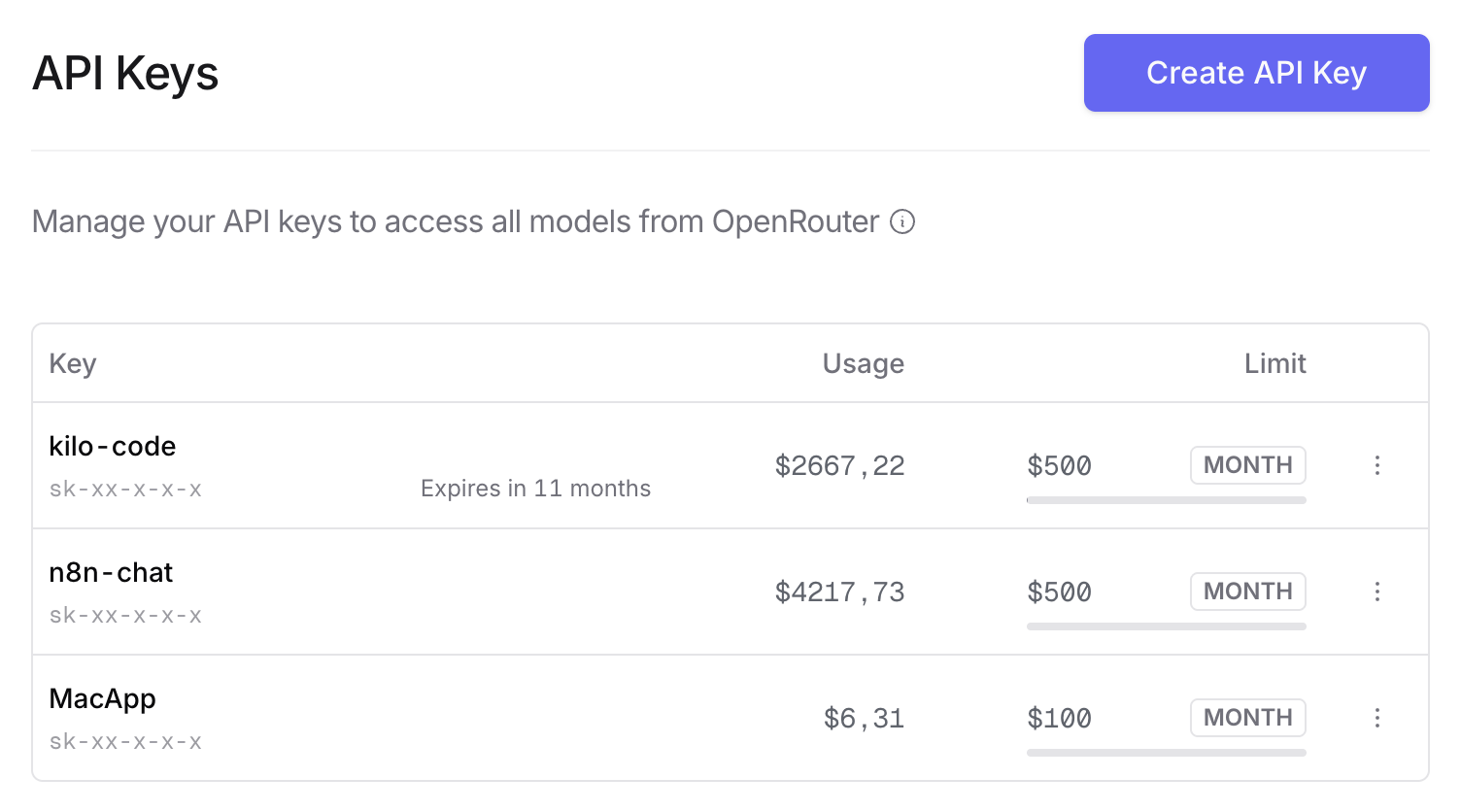
API Keys via OpenRouter.ai
You’ll use this key to connect Kilo Code to your OpenRouter coding models.
Step 3: Connect Kilo Code to OpenRouter
In Kilo Code’s settings:
Set provider to OpenRouter
Paste your API key
Set the base URL (usually https://openrouter.ai/api/v1 or whatever the docs state)
This wires your local vibe coding workflow directly to OpenRouter.
Step 4: Choose Your Model Strategy (3-Model Setup)
Primary model: “Brain”
Use a strong reasoning model
Use it for:
repo analysis
architecture discussions
big refactors
tricky bugs
Secondary model: “Workhorse”
Use a cheaper coder-specialized model
Use it for:
scaffolding
converting patterns
test generation
repetitive refactors
Tertiary model: “Turbo edits”
Fast model
Use it for:
small patches
doc strings
comment cleanups
In Kilo Code, set up profiles or presets to pick which model to send a request to based on the action you run.
0:00
/0:10
Orchestrator mode
Step 5: Define Guardrails (So You Don’t Get AI Slop)
This is where most people fail: they add a model and hope.
Instead, define hard rules for your AI coding stack:
Always:
Explain changes in plain English
Propose diffs instead of rewriting entire files
Keep existing project style and conventions
Include tests when touching critical logic
Never:
Introduce new dependencies without asking
Create global side effects silently
Change function signatures without a reason
You can bake some of this directly into your system prompts / presets in Kilo Code.
Example instruction you can reuse:
💡
“You are assisting in a TypeScript monorepo. Match existing patterns. Prefer minimal diffs. Explain changes. If unsure, ask for clarification instead of guessing.”
This is the difference between “fun demo” and production-ready AI coding stack.
Is the AI perfect? No. Does it cut hours of manual work when used intelligently? Absolutely.
How This Beats Premium AI IDEs
Most big-name AI coding tools suffer from the same issues:
Price: $25–$49/month, per seat
Lock-in: one provider, one model, one usage pattern
Opacity: you don’t control when they switch models or nerf features
Bloat: features you don’t need, complexity you didn’t ask for
Your Kilo Code VS Code setup with OpenRouter configuration looks more like:
You pick the models
You control prompts
You see token costs
You keep your editor
You control privacy and logging more directly
For many dev teams and solo devs, it’s simply:
🤖
More control. Less noise. Lower cost.
Members-Only: Ready-to-Use Profiles, Prompts, and Config
AI-powered automation for marketing, workflows, and business optimization. Save time, boost productivity, and scale effortlessly with smart AI solutions.
Most AI stories are noise. This one is different. Here’s the grounded version of how ChatGPT, DNA sequencing, AlphaFold, and scientific collaboration helped shape an experimental cancer treatment for one dog in Australia.
How to write Suno v5 prompts that work? Learn how to craft style and lyrics prompts that unlock genre, mood, instrumentation, and vocals. Includes examples, FAQs and practical tips for unique songs.
Every missed field, free-typed category, and duplicate name makes your AI dumber. Whether you’re wiring up a chatbot for customer FAQs, plugging into AI marketing automation, or testing workflow automation tools, the biggest unlock is not another app it’s a clean, structured database you control.
Here’s a
Learn how to write Sora 2 prompts that look cinematic and cut together cleanly. API settings, shot structure, lighting, dialogue, image references, Remix workflow, and ready-to-use templates.
Is your business drowning in fragmented data? Discover the "Golden Record" – a definitive, unified view of your customers that cleans up chaos, makes analytics reliable, and prepares your systems for the age of AI. Learn our simple 5-step process now.
An AI knowledge base is like the brain behind your AI tools—keeping them accurate, reliable, and fast. Learn what it is, why it matters, and how AI-powered knowledge bases boost customer support, automation, and business growth.